By Cameron Huddleston, Kiplinger
Chances are you’re not doing enough to protect your personal information from being stolen. “Everyone puts themselves at risk of hackers on a daily basis,” says Jerry Irvine, chief information officer of Prescient Solutions and a member of the National Cyber Security Partnership Task Force.
Person stealing someone’s identity. (Detroit Free Press/MCT via Getty Images)
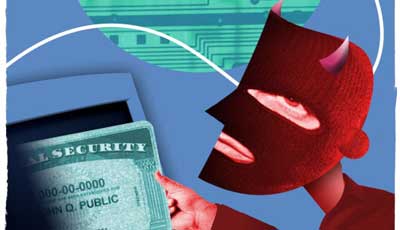
Hackers use viruses and spyware to infiltrate computers and mobile devices to steal data, such as passwords, Social Security numbers and account information. They then can use that information to access your accounts and drain them, run up debt under your name or steal your entire identity.
If you think you aren’t at risk of becoming a victim, consider these statistics: Identity theft is so widespread that someone becomes a victim every three seconds, according to a study by Javelin Strategy and Research. Thieves stole more than $21 billion from 12.6 million victims in 2012 by using their personal information. And it can take years for identity theft victims to repair their finances, according to the Privacy Rights Clearinghouse.
Irvine says that few mobile devices have any type of anti-virus solution. And anti-virus solutions for computers only protect against 30% of known viruses. Now you don’t even have to click on an image or link on a Web site to inadvertently download a virus. By simply hovering over some links and images with your mouse, you can start a script that will gather info from your hard drive.
Although hackers are quite sophisticated when it comes to gaining access to personal data, Irvine says there are several ways you might be making it easier for them to access your information.
Using weak passwords. If you’re using simple passwords for your accounts so you can remember them, you’re making it easy for hackers to figure them out, too. Irvine recommends creating passwords with a minimum of ten characters that include numbers, symbols and upper- and lowercase letters. You can test the security of your passwords at Microsoft.com/security. Don’t store these passwords in a file on your computer or mobile device that hackers could access by using spyware you might inadvertently install by clicking on links in spam e-mails, texts or Web sites. See Fix Your Passwords for tips on creating strong passwords and securely storing them.
Using the same password for more than one account. Plenty of people use a single password for multiple accounts. If a hacker figures it out, suddenly he has access to all of your accounts. Irvine says that, ideally, you should use different passwords for every account. But at least you should use different passwords for your financial accounts than you use for social network accounts.
Using public Wi-Fi. It’s tempting to use free public Wi-Fi to get Internet access while you’re away from home or work. But these shared networks make it easy for hackers to see everything you’re doing. Irvine says. Use your phone’s 3G or 4G service to access the Web for a more secure connection, or tether your computer to your phone to use its data plan rather than public Wi-Fi.
Read the full article HERE.