Recently, the Chinese deployed an oil rig in the South China Sea just off the coast of Vietnam. China disregarded the current internationally recognized laws and territorial boundaries. With this petition, the Vietnamese people around the world are asking for help from the White House to come up with a form of sanctions against China for its actions. The goal is to reach 100,000 signatures before June 12, 2014.
This picture taken on May 15, 2014 shows a Chinese coast guard ship (L) being blocked by three Vietnamese coast guard vessels near China’s oil drilling rig in disputed waters in the South China Sea. Vietnam is experiencing its worst anti-China unrest in decades following Beijing’s deployment of an oil rig to disputed waters, with at least one Chinese worker killed and more than 100 injured. (Photo HOANG DINH NAM/AFP/Getty Images)

1. To sign the petition, please click the link provided:
https://petitions.whitehouse.gov/petition/put-sanctions-china-invading-vietnam-territory-deployment-oil-rig-haiyang-981/p2b7Rnnv
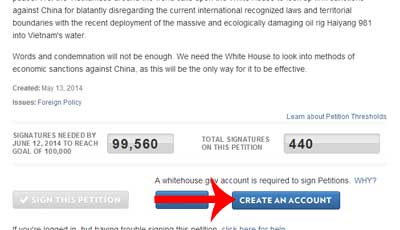
2. Once you click on the link, the system will display the summary screen of the petition. To sign the petition, you need to click on the “CREATE AN ACCOUNT” button. See picture below.
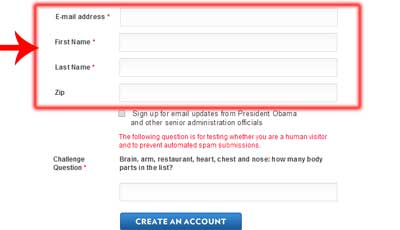
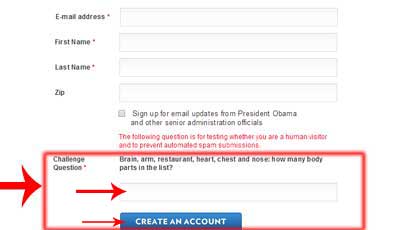
3. The system will display a blank form. This blank form has two sections. In the top section, you must enter a valid email address, your first name, last name and your ZIP code. After you have filled out that section of the form, you must provide the correct answer to the “Challenge Question” in the lower section. The challenge question is rather easy. Its purpose is to make sure the account is being created by a human being and not by some automated method.
4. After you answer the Challenge Question, click on the “CREATE AN ACCOUNT” button at the bottom of the form.
5. The system will display a message informing you that you will receive an email that provides directions to activate the account. You may have to wait a few minutes for the email to arrive.
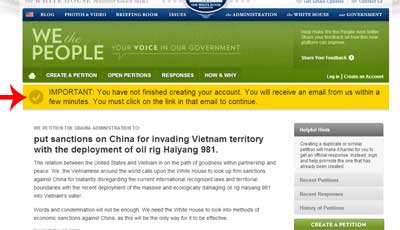
6. Once the email from Whitehouse.gov appears in your inbox, open the email.
7. Click on the link provided in the email. It will direct you to the website to confirm your registration.
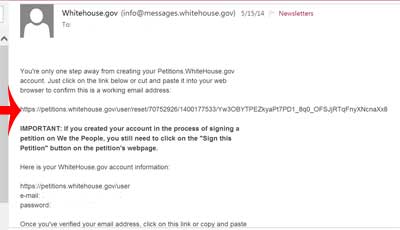
If clicking the link does not take you to the website, copy the link and paste it in the search bar at the top of your browser.
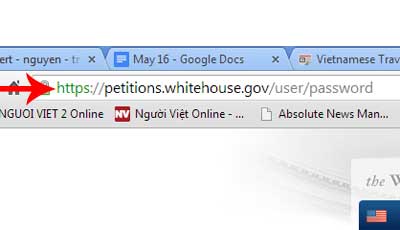
8. Once the account is activated, the system will sign the petition for you.
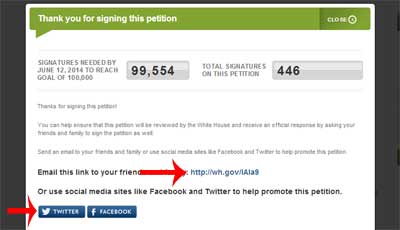
9. You have signed the petition. To help promote the petition, ask more people to sign it. Share it with your friends through your Facebook or Twitter accounts. If you don’t use Facebook or Twitter , you can copy the link below and send it to your friends. See picture below.